


AdAdvertise with us·Reach an audience of professional tech enthusiasts
Favicon of Miro website

Best Popular Miro Alternatives

A curated collection of the 4 best alternatives to Miro.

4 alternatives · Updated

The best alternative to Miro is Affine. If that doesn't suit you, we've compiled a ranked list of other Miro alternatives to help you find a suitable replacement. Other interesting alternatives to Miro are: Draw.io, Excalidraw and NodeLand.

Miro alternatives are mainly Knowledge Management but may also be Note Taking or Design. Browse these if you want a narrower list of alternatives or looking for a specific functionality of Miro.

Miro alternatives compared

#ToolPricingOpen source
1 AffineFree + From $6.75/moYes
2 Draw.ioFreeYes
3 ExcalidrawFree + From $6/moYes
4 NodeLandFree + From $4/moNo

The best Miro alternatives, ranked

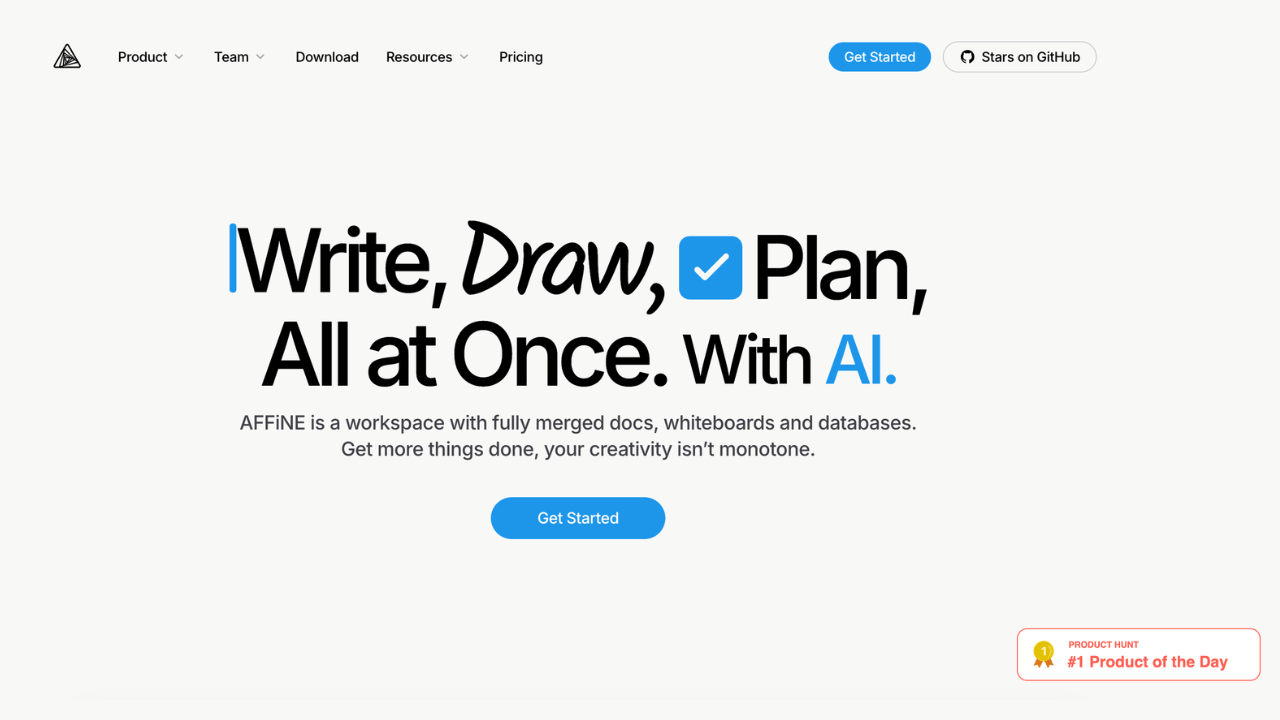
An open-source, all-in-one productivity platform that combines documents, whiteboards, and databases into a unified workspace.
Free + From $6.75/mo
Open-source
Self-hosted
Screenshot of Affine website

AFFiNE is an open-source, privacy-first KnowledgeOS that seamlessly combines documents, whiteboards, and databases into a unified workspace. Designed for individuals and teams, it offers a flexible platform to write, draw, and plan, enhancing productivity and creativity.

Key benefits of AFFiNE include:

  • Unified Workspace: Integrates docs, whiteboards, and databases, allowing seamless transitions between writing, visualizing, and organizing tasks.

  • Block-Based Architecture: Enables dynamic content creation with reusable, linkable blocks, facilitating efficient knowledge management.

  • Privacy-Focused & Open-Source: Offers self-hosting options and local-first data storage, ensuring complete control over your information.

  • Cross-Platform Compatibility: Built with web technologies, AFFiNE runs smoothly on Windows, macOS, and Linux, providing a consistent experience across devices.

  • Flexible Views & Real-Time Collaboration: Supports multiple views like Kanban and whiteboard modes, with real-time syncing for collaborative work.
Read the Affine review

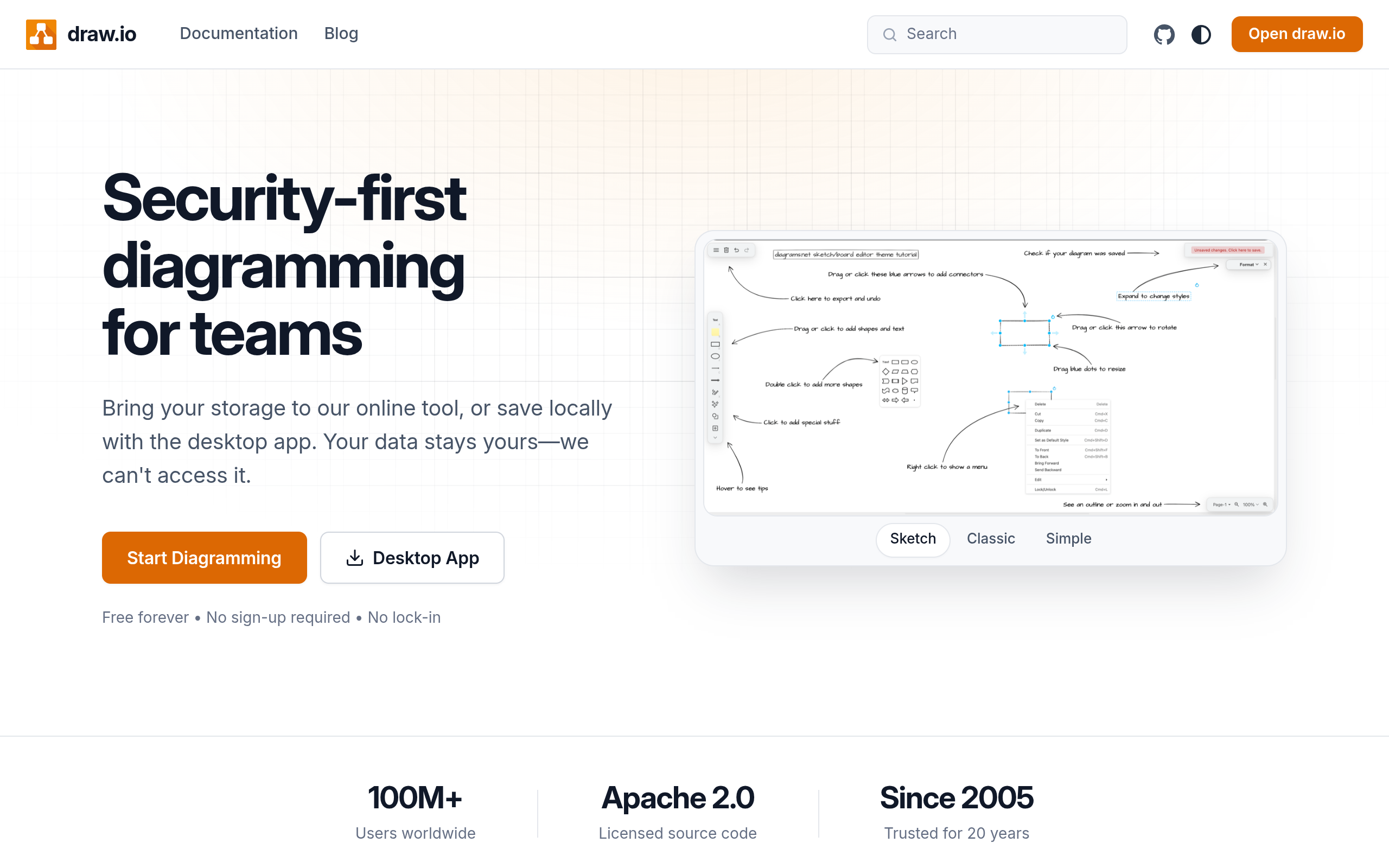
Draw.io is a free, open-source diagramming application trusted by over 100 million users worldwide. Create flowcharts, wireframes, UML diagrams, org charts, and more with complete data privacy—your files stay where you want them, never on Draw.io's servers.

Free
Open-source
Screenshot of Draw.io website

Draw.io is a powerful diagramming tool that empowers users to create professional diagrams without cost or complexity. Whether you're designing system architectures, mapping business processes, or sketching UI wireframes, Draw.io provides an intuitive canvas and an extensive library of shapes and connectors.

Key Benefits:

Complete Data Ownership - Unlike many SaaS tools, Draw.io stores diagrams wherever you choose—Google Drive, Dropbox, OneDrive, GitHub, or locally on your device. Your data never passes through Draw.io's servers, ensuring maximum privacy and control.

Rich Diagramming Capabilities - Access thousands of pre-built shapes, templates, and design elements across multiple diagram types including flowcharts, wireframes, entity-relationship diagrams, Gantt charts, and more.

Truly Free Forever - No paywalls, no premium tiers required for core functionality. The application is open-source, meaning the community can audit and enhance it.

Cross-Platform Accessibility - Use the web app, desktop applications, or integrate Draw.io as a plugin within Confluence, Jira, and other platforms you already use.

Perfect For: Software engineers designing system architectures, product managers creating user flows, business analysts mapping processes, educators teaching concepts, and teams collaborating on technical documentation.

Draw.io eliminates the friction of proprietary diagramming tools by prioritizing user control, accessibility, and cost-effectiveness. It's ideal for individuals and teams who want professional-grade diagramming without vendor lock-in.

Read the Draw.io review

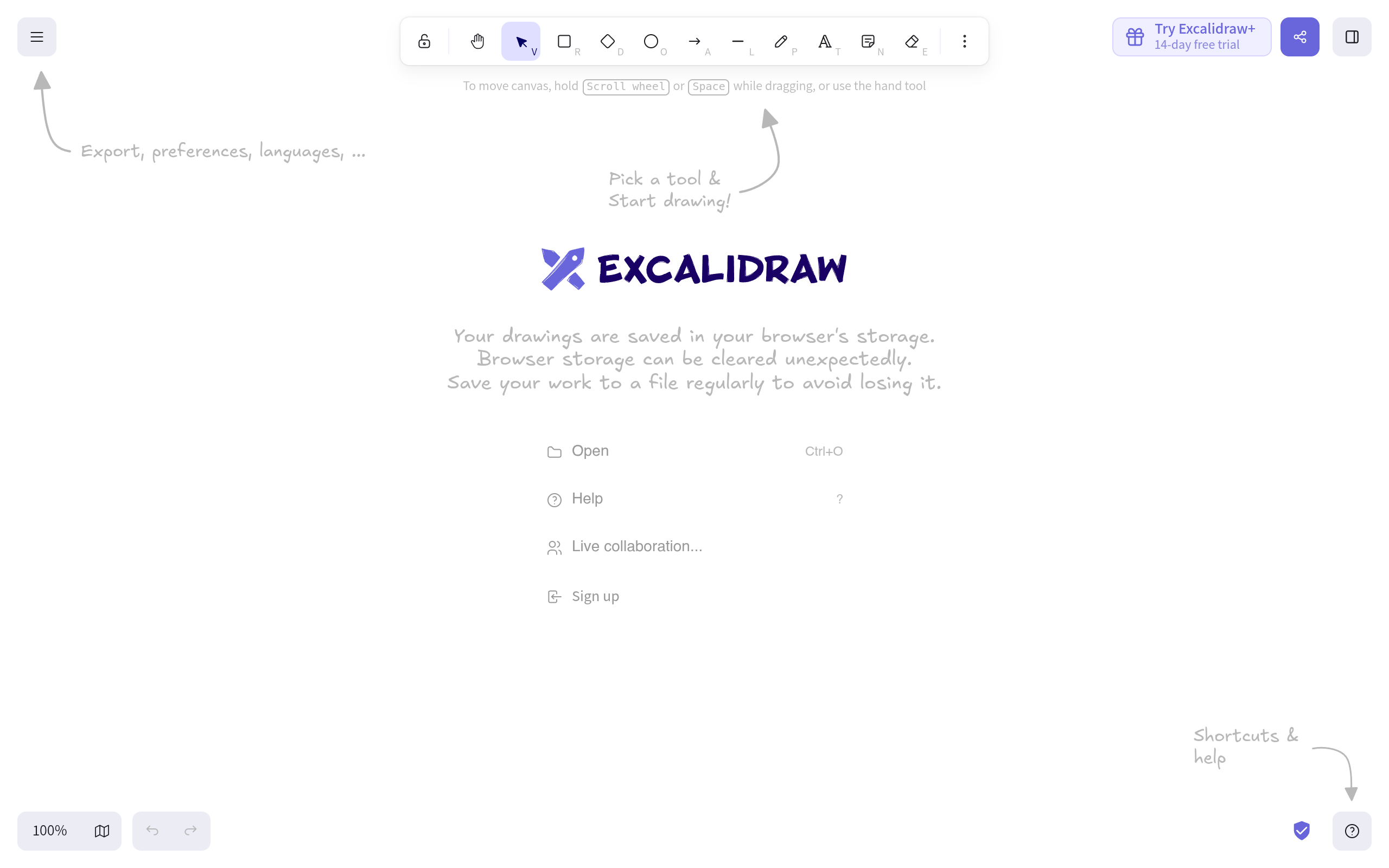
Excalidraw is a free, open-source virtual whiteboard for creating hand-drawn style diagrams and sketches. Perfect for teams needing quick, collaborative visual communication without the polished design overhead. **Key Features:** - Hand-drawn aesthetic for natural-looking diagrams - Real-time collaborative editing - Embeddable diagrams and libraries - Infinite canvas with intuitive drawing tools - No account required to get started

Free + From $6/mo
Open-source
Screenshot of Excalidraw website

Excalidraw is an open-source virtual whiteboard designed for sketching diagrams, wireframes, and visual concepts with an intentionally hand-drawn aesthetic. Unlike polished design tools, Excalidraw embraces simplicity and speed, making it ideal for quick brainstorming sessions, technical documentation, and collaborative team sketches.

Why Choose Excalidraw:

Excalidraw excels at reducing design friction. The hand-drawn style feels informal and encourages iteration without the pressure of pixel-perfect precision. This makes it perfect for teams that need to visualize ideas quickly—whether sketching flowcharts, system architecture, user flows, or wireframes.

Real-time collaboration enables multiple team members to sketch together synchronously, making it valuable for remote teams and distributed workshops. The tool works seamlessly in browsers and can be embedded directly into documentation or notes.

Key Strengths:

  • No login required – Start drawing immediately without account creation
  • Open source – Self-host or use the web version; full transparency and community contributions
  • Lightweight & fast – Minimal dependencies mean quick load times and smooth performance
  • Infinite canvas – Unlimited space for exploring ideas without constraints
  • Asset libraries – Access community-created shapes and components to speed up sketching
  • Export flexibility – Save as PNG, SVG, or collaborate via shareable links

Best For:

Product teams planning features, engineers diagramming systems, educators teaching concepts, and anyone who needs to externalize ideas quickly. Teams tired of heavyweight design tools that slow down the ideation process will appreciate Excalidraw's focus on speed and accessibility.

Read the Excalidraw review

A platform that transforms traditional note-taking into interactive mind maps.

Free + From $4/mo
Screenshot of NodeLand website

NodeLand is a dynamic note-taking and mind mapping platform that transforms your notes into interactive, AI-powered mind maps. Designed for students, professionals, and creatives, it helps visualize ideas, organize thoughts, and retain information more effectively.

Key benefits of NodeLand include:

  • AI-Powered Mind Maps: Automatically generate mind maps from your notes for enhanced understanding.
  • Interactive Learning: Visualize and interconnect ideas for better clarity.
  • Cross-Device Accessibility: Access and edit your notes anytime, anywhere.
  • Document Summarization: Simplify complex documents into interactive mind maps.
  • Personalized Assistance: AI-guided concept maps to aid in study and learning.
Read the NodeLand review

Frequently asked questions

What is the best alternative to Miro?

The top-rated alternative to Miro is Affine. An open-source, all-in-one productivity platform that combines documents, whiteboards, and databases into a unified workspace. Other popular options include Draw.io, Excalidraw, NodeLand. Compare features and pricing in the table above.

How many alternatives to Miro are there?

There are 4 alternatives to Miro listed on YouMightNotNeed, including Affine, Draw.io, Excalidraw. Each listing is hand-reviewed and includes a description, screenshot, pricing, and open-source status.

Are there free alternatives to Miro?

Yes, there is 1 free alternative to Miro: Draw.io.

Are there open-source alternatives to Miro?

Yes, there are 3 open-source alternatives to Miro: Affine, Draw.io, Excalidraw. Open-source tools can usually be self-hosted, so you keep full control of your data.

Share:

Discover the best alternatives to

View all

Put your SaaS product in front of active buyers

Reach developers, tech leaders and founders looking for open source tools to adopt.

Submit your product
