

AdAdvertise with us·Reach an audience of professional tech enthusiasts
Favicon of Trello website

Free Trello Alternatives

A curated collection of the 3 best free alternatives to Trello.

3 free alternatives · Updated

The best free alternative to Trello is Kanboard. If that doesn't suit you, we've compiled a ranked list of other free Trello alternatives to help you find a suitable replacement. Other interesting free alternatives to Trello are: Taiga and Wekan.

Trello alternatives are mainly Task Management but may also be Project Management. Browse these if you want a narrower list of alternatives or looking for a specific functionality of Trello.

Free Trello alternatives compared

#ToolPricingOpen source
1 KanboardFreeYes
2 TaigaFreeYes
3 WekanFreeYes

The best free Trello alternatives, ranked

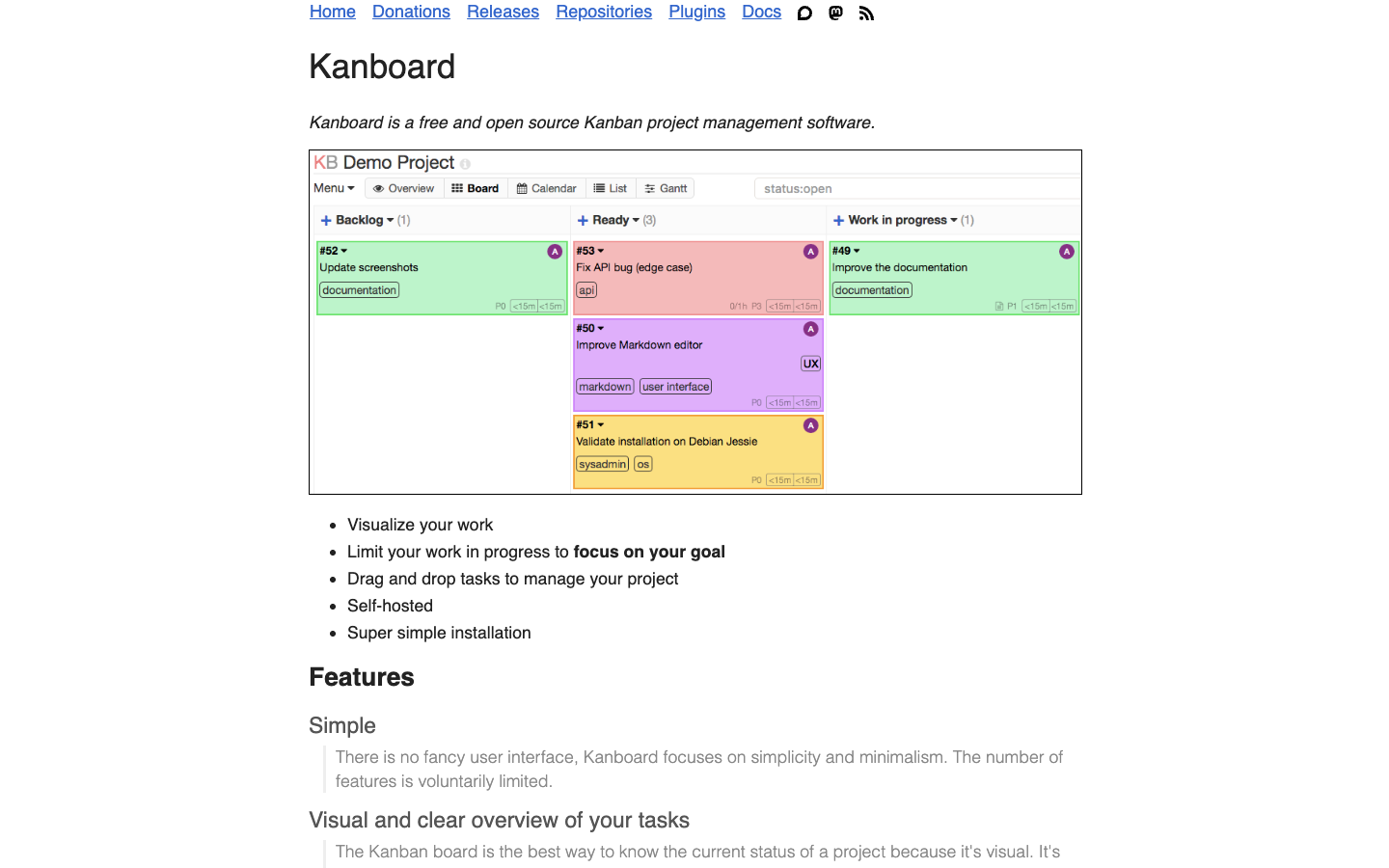
Kanboard is a free and open source Kanban project management tool you host yourself. It keeps features deliberately limited, with drag-and-drop boards, WIP limits, a simple query language and automatic actions.
Free
Open-source
Self-hosted
Screenshot of Kanboard website

Kanboard is a free and open source Kanban project management application that you install on your own server. It is aimed at individuals and teams who want a clear visual board for tracking work without a heavy interface, and it deliberately limits its feature set to stay simple and minimal.

Key benefits of Kanboard include:

  • Flexible boards: Drag and drop tasks between columns, and add, rename or remove columns at any time to fit your project.
  • Work-in-progress limits: Set limits per column, and Kanboard highlights a column when it goes over the limit.
  • Search and filters: A simple query language lets you filter the board by assignee, description, category, due date and more.
  • Detailed tasks: Break tasks into subtasks, estimate time or complexity, write descriptions in Markdown, and attach comments and documents.
  • Automatic actions: Change assignees, colors, categories and other fields automatically based on events.

For teams leaving Trello, Kanboard offers the same Kanban workflow plus WIP limits and automation, with your data on your own server, LDAP/Active Directory or OAuth2 login (Google, GitHub, GitLab), and translations in 30+ languages. It is released under the MIT License, so there are no per-user fees. The trade-offs are real: you need to install and maintain it yourself, and its interface is intentionally plain. Compared with Basecamp, it focuses on task boards rather than all-in-one team communication, so you may need separate tools for messaging or document sharing.
Read the Kanboard review

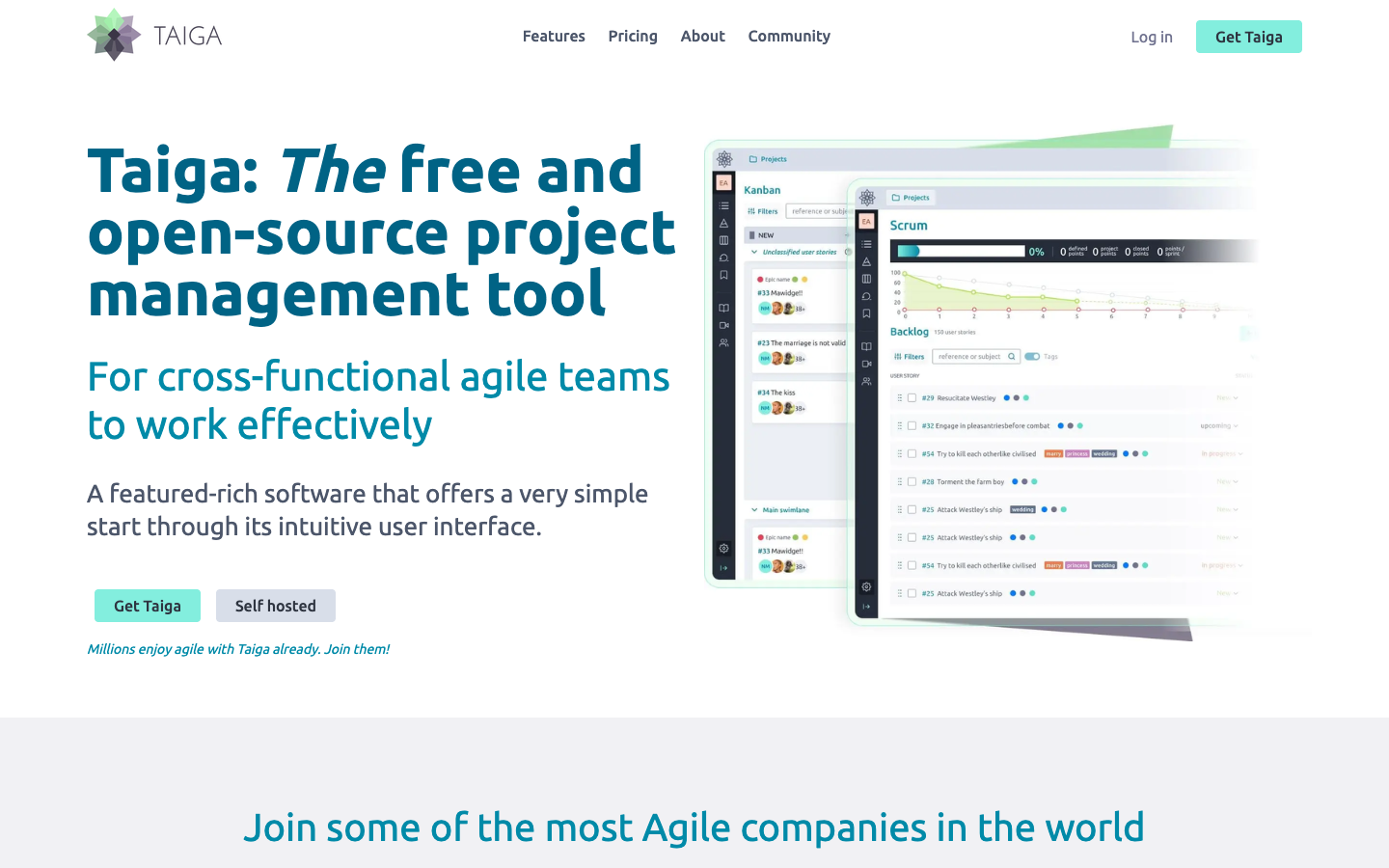
Taiga is a free, open-source project management tool for cross-functional agile teams, with Kanban and Scrum boards, issue tracking, dashboards and a self-hosted option for keeping data on your own servers.

Free
Open-source
Self-hosted
Screenshot of Taiga website

Taiga is a free and open-source project management tool built for cross-functional agile teams. It covers backlog and sprint planning, Kanban boards, bug tracking and reporting, and can be used as a hosted service or installed on your own servers. It aims for a simple start, with more features activated as a team needs them.

Key benefits of Taiga include:

  • Kanban and Scrum in one tool: Kanban boards with swim lanes and WIP limits sit alongside backlog, sprint planning and burndown charts, and projects can switch between the two methods.
  • Integrated issue tracking: Custom issue types, priorities and severities, with the option to add issues to sprints or promote them to user stories.
  • Dashboards and reporting: Team performance and personal dashboards, a project timeline, a wiki and custom real-time reports via a CSV URL link.
  • Self-hosting: The 100% open-source on-premise option keeps all data on your own servers and lets you customize the installation.
  • Customization and languages: Define roles and permissions, custom tags, fields, stages and colors, with the interface translated into more than 20 languages.

Teams leaving Jira will find familiar agile concepts such as epics, sub-tasks, estimations and sprint boards, without per-seat licensing if they self-host. Trello users get a Kanban board with more structure, including WIP limits and Scrum support. The trade-offs: integrations are more limited and partly rely on Zapier, and self-hosting means taking on server maintenance and updates yourself. Project import and export can help with migration.

Read the Taiga review

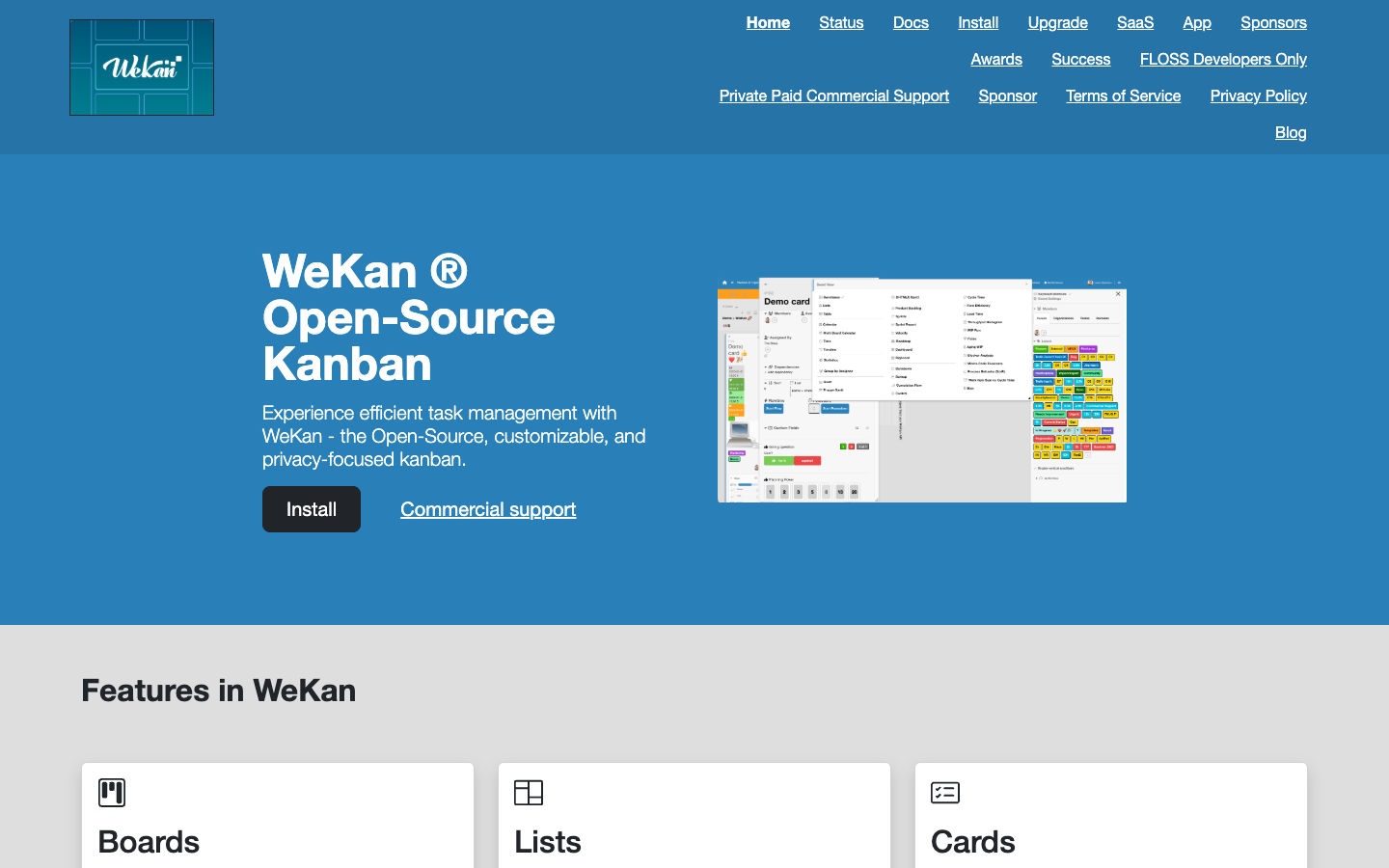
WeKan is an open-source kanban board application that can be self-hosted. It offers a Trello-style way to organize work into boards, lists and cards while keeping your data on infrastructure you control.

Free
Open-source
Self-hosted
Screenshot of Wekan website

WeKan is an open-source kanban tool for individuals and teams who want to track tasks on boards without relying on a hosted, proprietary service. Because it can be self-hosted, it suits organizations that prefer to keep project data on their own servers.

Key benefits of Wekan include:

  • Open source: The code is publicly available, so you can inspect it, modify it and run it without a license fee.
  • Self-hosting: You can install it on your own server and decide where your boards and cards are stored.
  • Kanban workflow: Work is organized visually on boards, which is a familiar model for anyone coming from Trello.
  • No vendor lock-in: Running your own instance means your setup does not depend on a single provider's pricing or policy changes.

If you are leaving Trello, WeKan gives you the same basic board-and-card approach to managing work, with the control that comes from running the software yourself. The trade-off is that self-hosting means you take on installation, updates, backups and security, which Trello handles for you. The project's website offers little detail on its own, so expect to spend some time reading documentation and testing before rolling it out to a team. It is a sensible choice for teams with some technical capacity who value data ownership over a fully managed service.

Read the Wekan review

Share:

Discover the best free alternatives to

View all

Put your SaaS product in front of active buyers

Reach developers, tech leaders and founders looking for open source tools to adopt.

Submit your product
